Solution
How a firmware analysis runs
A firmware analysis with LegacyMind starts with a free check on one image: you upload the file from your build and get the findings report and SBOM within three working days. If you want to go on, findings for a product family follow, then a 90-day pilot and ongoing matching of new vulnerabilities.
As of 20 October 2026
Four stages
Every stage ends with something you keep
You start with one image. Each stage is a separate order, and after each one you decide whether to continue.
- 1
CRA readiness check
One image, free of charge
First a 30-minute call, then you upload one file from your build or your shipped image. Within three working days the report and SBOM are in your account, and we go through them with you.
You keep
Technical findings report, management summary and SBOM
- 2
Findings
One product family
The releases of one product family, analysed side by side: which components at which version sit in which release, and which vulnerabilities attach to them, ranked by what needs doing first.
You keep
Findings report per release, SBOM per release, action plan
- 3
Pilot
90 days, one product family
You upload every new release yourself, and the analysis runs as in the check. Newly published vulnerabilities keep being matched to your analysed releases.
You keep
Your account with every release and every report
- 4
Ongoing operation
All product families
The bill of materials per release and ongoing matching against new vulnerabilities, for the whole portfolio.
You keep
A bill of materials per release, for when the reporting obligation asks
After the check
What you have in hand
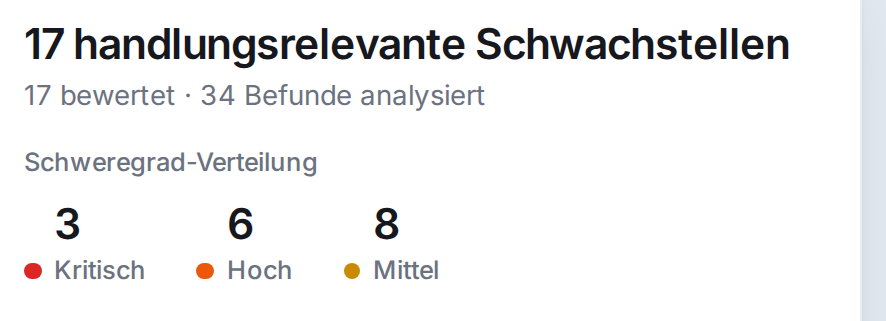
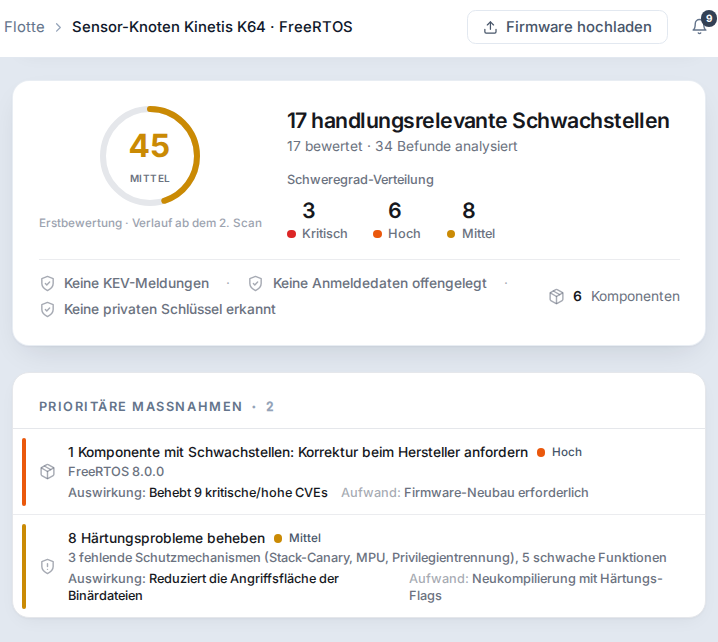
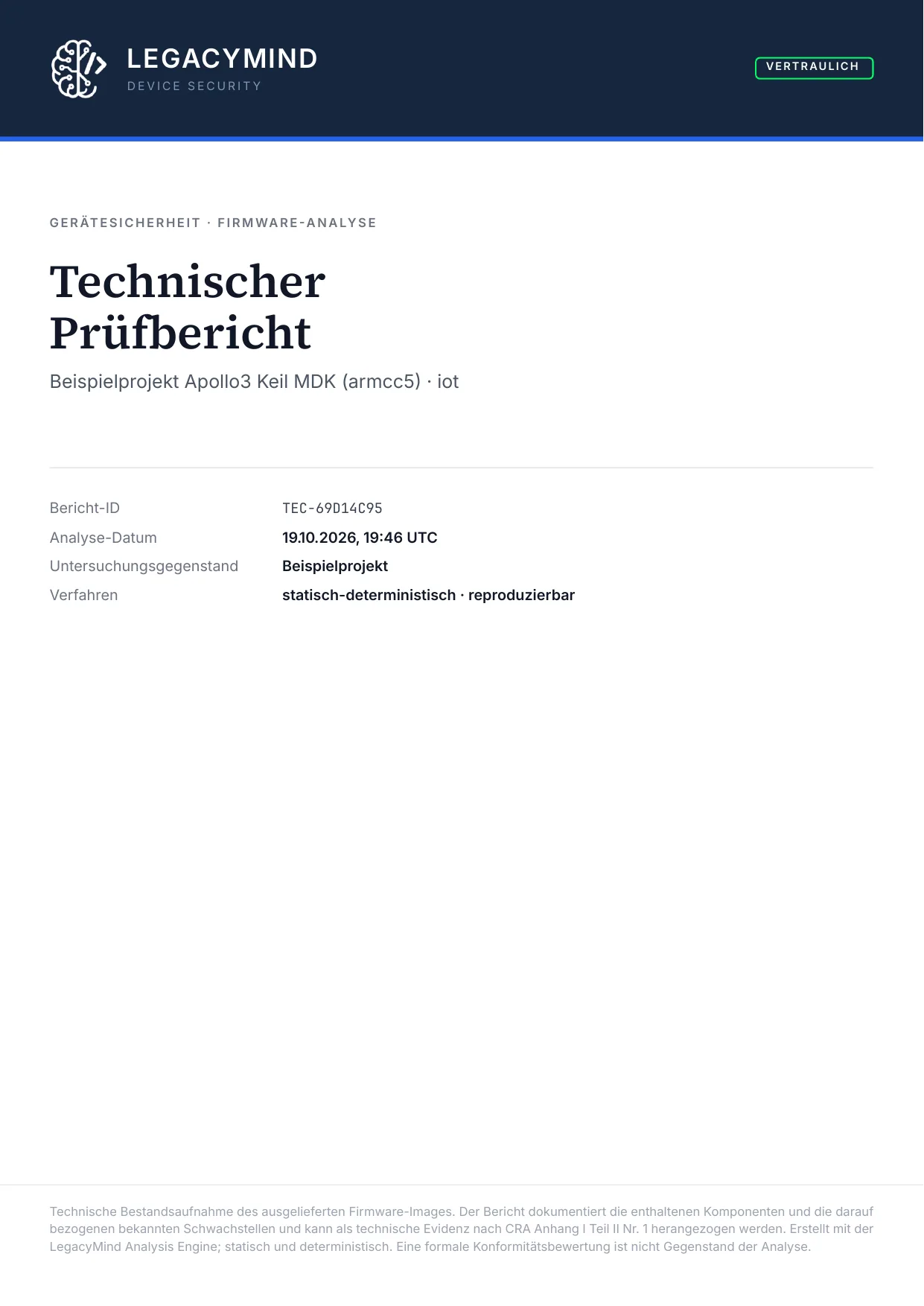
Pages from the real reports on a public firmware image, as the app exports them. Your report has the same structure, with your firmware. The reports are in German.
Management summary, page 1
The situation on one page, for management
The bottom line, the risk score, the key finding with its KEV listing, and the analysis steps with their results. A document of its own, to hand to the managing director.
Technical findings report, page 7 of 38
From raw finding to action
How the priority vulnerabilities come out of all the vulnerabilities found, each step with its reason: severity and active exploitation.
Technical findings report, cover page
Product family
What we mean by a product family
From the findings stage on, we count in product families. A family is whatever shares code.
Common base
Devices whose firmware builds on the same platform: the same microcontroller or the same embedded Linux, the same RTOS kernel, the same networking and crypto libraries.Examples
The variants of an alarm control panel. The gateways of one series. The controllers that share a board support package.Why it matters
A vulnerability in a shared library hits every device in the family that contains the library at that version. Analyse the releases side by side and you see which releases are affected and where one update fixes them all.Who defines it
You do, in the conversation after the check. After the first image we tell you which devices can be checked together.
Pilot and operation
New vulnerabilities hit old releases too
Firmware that is clean today can have a known vulnerability tomorrow: the day someone publishes a vulnerability in one of its libraries.
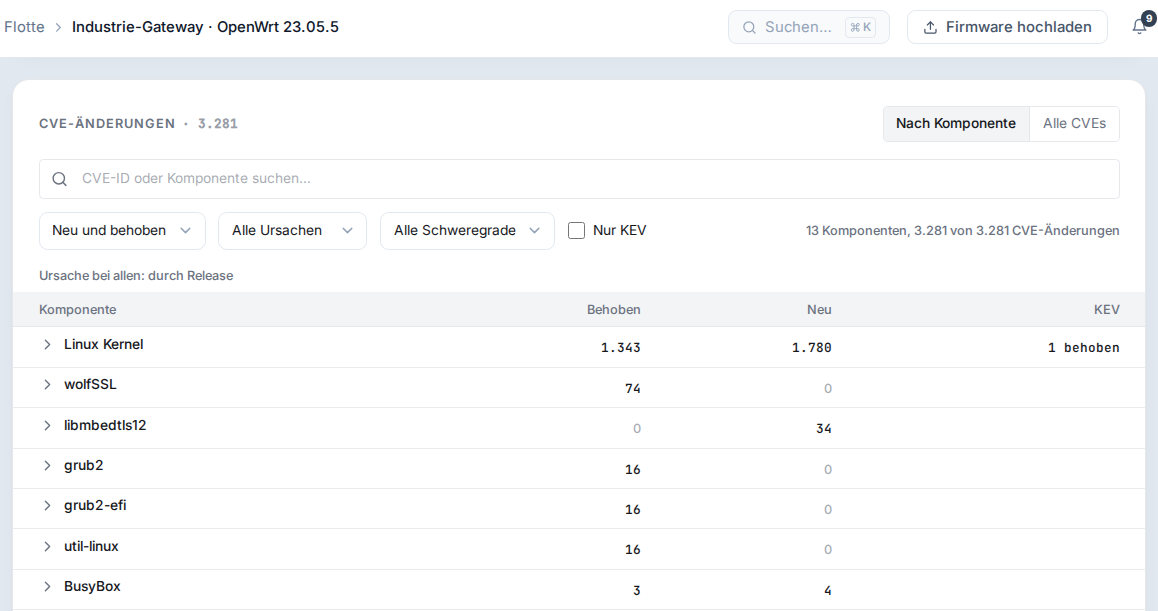
In the pilot and in ongoing operation we match newly published vulnerabilities against every analysed release. And the app compares each new release with the previous one: what it fixes and what it brings in.
Where it fits
Firmware analysis, code analysis, pentest, gap analysis
The four methods answer different questions and complement each other. Only an analysis of the shipped file gives you the bill of materials of that file.
- Firmware analysis
- What it checksThe shipped file: components with version, known vulnerabilities, hardening, bundled credentials and keys.
- What it needsThe file from the build, or the image.
- What it does not seeBehaviour in operation, network configuration at the customer's site, your processes.
- Code analysis (SAST)
- What it checksThe source code, for programming errors such as buffer overflows.
- What it needsSource code and access to the repository.
- What it does not seeBought-in libraries without source code, and what the linker actually takes in.
- Penetration test
- What it checksThe running device from outside, through its reachable interfaces.
- What it needsA device in a test setup and several days of work.
- What it does not seeComponents without a reachable interface, a complete bill of materials.
- Gap analysis
- What it checksProcesses and documentation against the requirements of the CRA.
- What it needsInterviews and documents.
- What it does not seeWhat is in the firmware.
| Method | What it checks | What it needs | What it does not see |
|---|---|---|---|
| Firmware analysis | The shipped file: components with version, known vulnerabilities, hardening, bundled credentials and keys. | The file from the build, or the image. | Behaviour in operation, network configuration at the customer's site, your processes. |
| Code analysis (SAST) | The source code, for programming errors such as buffer overflows. | Source code and access to the repository. | Bought-in libraries without source code, and what the linker actually takes in. |
| Penetration test | The running device from outside, through its reachable interfaces. | A device in a test setup and several days of work. | Components without a reachable interface, a complete bill of materials. |
| Gap analysis | Processes and documentation against the requirements of the CRA. | Interviews and documents. | What is in the firmware. |
Purchasing
How buying from us works
Prices are not on the website. You get them in the conversation after the check, and in writing with the quote.
Quote
For findings and pilot you get a written quote with a fixed price per stage, to pass on to purchasing and management.Contract
With LegacyMind GmbH in Ingolstadt. Quote and contract come from our management; technical questions go straight to our engineers.Confidentiality
On request, we sign an NDA beforehand. What happens to your files is set out under security and confidentiality.
Your part
What you need for it
Little. The analysis runs on files you already have.
Files
The AXF, ELF or OUT of your build, or the shipped image. No source code, no access to your systems.One contact
Someone from engineering to go through the findings with us.Many devices
Batch upload takes up to 20 firmware files at once. How service providers use it for their customers is on the page for managed service providers.
Questions before the first step
What buyers ask us
What does the check cost, and what does it commit us to?
The CRA readiness check is free and commits you to nothing. The report and SBOM are yours.
Can we test one or two projects first?
Yes. That is what the check is: one image, one report, one conversation. Further images of the same family follow in the family findings.
How long does the check take?
The report and SBOM are in your account within three working days of the upload. The call about them takes 30 minutes.
Do we get a written quote?
Yes. For findings and pilot we send a written quote with a fixed price per stage.
Do you need access to our systems?
No. You upload the file yourself into your own account. We need neither source code nor access to your network.
Does firmware analysis replace a pentest?
No, it checks something else. Firmware analysis reads what is in the file. A pentest checks the running device from outside. For the bill of materials and the reporting obligation you need the contents of the file.
Start with one image
The CRA readiness check is free. You get the report and SBOM within three working days of the upload.